
The Tool List Is the Permission Check
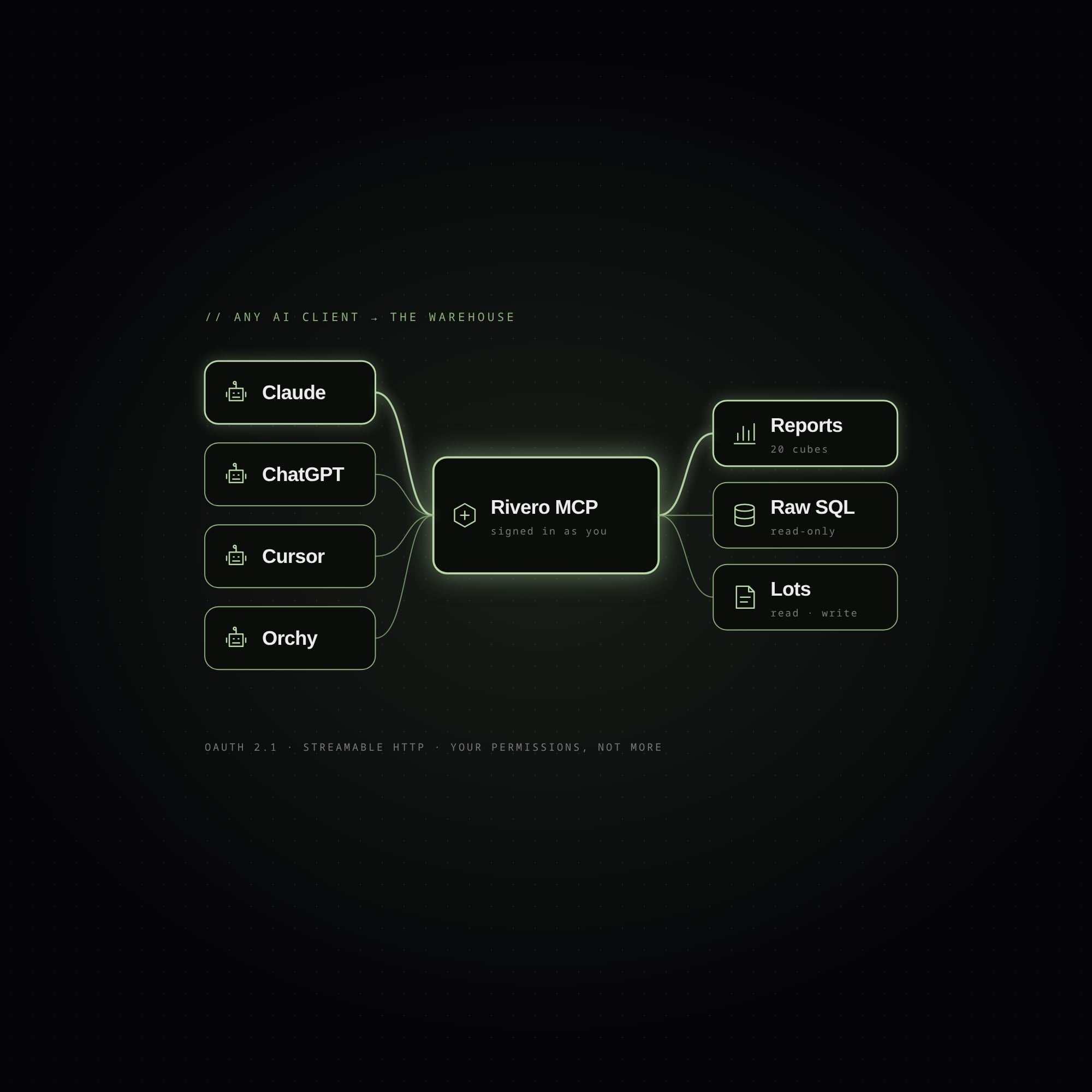
At Rivero, a logistics company in Miami, warehouse answers used to live in two places: behind the screens of our WMS, or with an engineer who could write the SQL. I wanted anyone on the team to open Claude or ChatGPT, connect the warehouse, and ask something like "How much inventory has been sitting for more than 90 days, by category?" or "Build me that report and send it every Monday."
The protocol was the easy part. What took the work was one rule: an AI client on production data is only acceptable if it can never see more than the person using it.
Here is how I built the server, organized around the five decisions that kept that rule true.
1. Put the server inside the API you already secure
My first version was a spike, a separate MCP service with its own copy of who the user is and what they can do. It worked in a demo, but I didn't trust it. Two copies of identity and permissions drift apart, and the copy fewer people look at is the one that ends up wrong.
So I moved the server into the NestJS API that already powers the web app. POST /mcp became one more route behind the same authentication, and every tool calls a use-case the app already has. A tool that reads lots runs the same code, with the same checks, as the screen that shows lots.
The server is also built per request. Each call to /mcp resolves the caller (their permissions, role, warehouses and OAuth scopes) and assembles a fresh McpServer for that one person. Two users never share a server, so one user's tools can't show up in another's session.
2. Gate tools at registration, not at call time
The usual way to protect a tool is to check permissions inside it and refuse when the user lacks access. I check earlier, when the server is assembled: a tool the caller can't use is never registered.
export function createToolRegistrar(server: McpServer, caller: Caller) {
  return (name: string, config: ToolConfig, handler: ToolHandler) => {
    // Missing a permission key: the tool does not exist for this caller.
    if (config.requires && !meetsRequirement(caller, config.requires)) return;

    // A read-only grant gets no write tools, whatever the account can do.
    if (config.write && !caller.scopes.has("mcp:write")) return;

    server.registerTool(name, describe(config), wrap(name, config, handler));
  };
}
Because the model can't call a tool it can't see, it never burns turns on calls that will be refused. Its context also stays small: a warehouse operator gets a handful of tools, while an admin gets the full set, including a read-only SQL lane. And tools/list turns into an audit tool. If you want to know exactly what a person's AI can do, list their tools, because that list is their permission set.
HTTP routes in the app are protected by decorators on the controllers, but tools call use-cases directly and skip the controllers. That's why each tool restates its own requirement (allOf, anyOf, and a legacy role list for endpoints that still use roles), so the agent never gets more reach than the web app.
3. Let the person narrow the grant
The server implements the MCP authorization spec (2026-07-28) with an OAuth 2.1 authorization server built into the same API: discovery, dynamic client registration, PKCE and a consent screen.
On that screen the person chooses read, or read and write. A connection granted mcp:read gets no write tools at all, enforced the same way as permissions, by not registering them. The model only ever sees tools this connection can actually run.
For the user, connecting takes just the URL:
claude mcp add --transport http rivero-wms https://<api-host>/mcp
There's no token to copy into a config file. The client calls /mcp, gets a 401 with a WWW-Authenticate header, follows it to the discovery documents, registers itself and opens a browser. You sign in with your normal account, read what the app is asking for, and approve. You can revoke the connection later.
4. Check the audience on every token
The 2026-07-28 spec makes this a MUST: an MCP server must only accept tokens issued for itself. If you skip the check, a token minted for some other API can be spent on your server. That's the confused deputy problem the resource parameter exists to prevent.
Our global auth guard already verifies the signature and expiry, so the MCP guard only has to answer the remaining question: was this token minted for us?
canActivate(ctx: ExecutionContext): boolean {
  const { user } = ctx.switchToHttp().getRequest();
  const aud = [user.aud].flat();
  if (!aud.includes(this.config.resource)) {
    throw new UnauthorizedException(`Token issued for ${aud.join(", ")}, not for this server.`);
  }
  return true;
}
When a call needs a scope the token doesn't have, the server answers with a 403 that names the scope that would work. That's the insufficient_scope challenge the spec's step-up flow expects, and it lets the client ask for exactly that scope.
5. Put everything a tool shouldn't own behind one seam
Every tool joins the server through a single registrar. Tools stay tiny, taking validated arguments and returning a plain record, and the registrar handles everything else in one place.
It caps every result at 300 KB. When a result is bigger, it shortens the largest list and adds a note, while the reported total stays the same, so the model knows it's looking at a sample. It also maps errors: a use-case that refuses with a 4xx (not found, bad request, conflict) becomes an isError result the model can read and recover from, and a 5xx stays a protocol error because the fault is on our side.
Every call also leaves an audit row: who called which tool, from which client, with which (redacted) parameters, how long it took and how many rows came back. Finally, the registrar sets the annotations. Read tools are marked readOnlyHint, and write tools default to destructiveHint: true, so clients ask a person before running them.
Writes and agent retries
Writes needed one more guard. Our own agent, Orchy, runs on a workflow queue. When a delivery acknowledgement fails, the queue redelivers the turn, the model runs again, and it calls the write tool again. Without protection, one request turns into two shipments.
So every write goes through a ledger keyed on user, agent turn, tool and target. The target is the thing being changed, like an order id or a pallet id. I key on it instead of the full arguments because a re-run model may word the same change differently. If the key already exists, the ledger returns the first result with a note saying the change was "already applied earlier in this turn".
The turn id comes from the agent runtime, which adds it to every call and strips it from the schema the model sees, so the model can neither see it nor forge it.
Claude Desktop and Claude Code have no queue behind them, so nothing redelivers their calls. For them a write applies directly, still behind the mcp:write scope, the person's own permissions and their approval in the client.
What I'd tell someone building one
- Put the server where your auth already lives instead of building a second identity system.
- If a tool shouldn't run for a person, don't register it for them.
- Always check the token's audience. It's one comparison, and it closes a whole class of attacks.
- Design writes for retries from day one. Agents run in loops and queues, and a prompt can't stop a queue from redelivering.
People at Rivero ended up connecting their own Claude and ChatGPT accounts to the warehouse and using it alongside everything else they had connected. They queried live data across 20 analytics cubes and built and scheduled reports, and every call stayed inside their own permissions and landed on the audit trail.
The full case study, with diagrams of the sign-in and the permission gate, is on the Rivero MCP Server project page.