
Complete Guide to Optimizing 3D Models for Web: GLTF-Transform, Draco & Three.js Performance
Loading 3D models on the web can be challenging. Large file sizes, slow loading times, and poor performance can ruin user experience. In this guide, I'll show you step by step how to optimize 3D models using modern tools and techniques.
Why 3D Model Optimization Matters
Unoptimized 3D models can:
- Increase load times by 300-500%
- Consume excessive bandwidth (models can be 20MB+ unoptimized)
- Cause frame drops below 30 FPS on mobile devices
- Impact SEO scores due to Core Web Vitals
Performance Benchmarks
- Target file size: less than 2MB for mobile
- Target FPS: 60 FPS on mid-range devices
- Load time goal: under 3 seconds first render
First Step: Use GLB Format
GLB (Binary glTF) is the superior format for web delivery and should be your first optimization step.
GLB is specifically designed for web performance:
- Single binary file - everything embedded (geometry, textures, animations)
- Fastest loading - only one HTTP request needed
- Smallest file size - binary format with better compression
- No missing dependencies - all assets bundled together
Converting to GLB
If your models are in other formats, you'll need to convert them to GLB first. Install gltf-transform:
npm install -g @gltf-transform/cli
Then convert any 3D format to GLB:
# Convert various formats to GLB
gltf-transform copy model.fbx model.glb
gltf-transform copy model.obj model.glb
gltf-transform copy model.gltf model.glb
gltf-transform copy model.dae model.glb
Loading GLB in Three.js
import { GLTFLoader } from "three/examples/jsm/loaders/GLTFLoader.js";

const loader = new GLTFLoader();
loader.load("/models/model.glb", (gltf) => {
  // Single request loads everything: geometry, materials, textures
  scene.add(gltf.scene);
});
Why GLB is Essential:
- Reduces HTTP requests from multiple files to just one
- Eliminates file dependency issues
- Provides immediate 20-40% size reduction over multi-file formats
- Enables better compression algorithms
Basic GLB Optimizations with gltf-transform
gltf-transform is the most powerful tool for optimizing glTF and GLB files. It can compress geometry, optimize textures, and remove unused data.
Understanding the Optimizations
Draco Compression: Draco is Google's geometry compression algorithm that can reduce mesh file sizes by 90% or more. It compresses vertex positions, normals, and texture coordinates while maintaining visual quality.
Texture Compression: Textures often make up 80% of a 3D model's file size. Converting them to modern formats like WebP can reduce texture sizes by 50-70% compared to traditional JPEG/PNG.
Basic GLB Optimization
# Optimize existing GLB file
gltf-transform optimize input.glb output.glb \
  --compress draco \
  --texture-compress webp \
  --texture-resize 1024

# Convert and optimize in one step from other formats
gltf-transform optimize model.gltf optimized.glb \
  --format glb \
  --compress draco \
  --texture-compress webp
What each flag does:
--compress draco: Compresses geometry using Google's Draco algorithm--texture-compress webp: Converts textures to WebP format for smaller file sizes--texture-resize 1024: Resizes textures to maximum 1024x1024 pixels--format glb: Ensures output is in GLB binary format
Texture Optimization for GLB
Since GLB embeds all textures, proper optimization is crucial for file size, it can even take up to 80% of the file size.
Modern Texture Formats
# WebP compression (70% smaller than JPEG)
gltf-transform optimize model.glb optimized.glb \
  --texture-compress webp

# AVIF compression (even better than WebP)
gltf-transform optimize model.glb optimized.glb \
  --texture-compress avif

# KTX2/Basis Universal (ultra compression for performance and vram usage)
gltf-transform optimize model.glb optimized.glb \
  --texture-compress ktx2
Texture Resizing
# Resize all textures to 1024x1024
gltf-transform resize input.glb output.glb --width 1024 --height 1024

# Or use the optimize command with resize flag
gltf-transform optimize input.glb output.glb \
  --texture-resize 1024 \
  --compress draco
Setup Draco Decoder Files
For Draco-compressed models, you need the decoder files in your project for better performance. Download them directly:
# Create the draco directory
mkdir -p public/draco

# Download Draco decoder files
curl -o public/draco/draco_decoder.js https://www.gstatic.com/draco/versioned/decoders/1.5.6/draco_decoder.js
curl -o public/draco/draco_decoder.wasm https://www.gstatic.com/draco/versioned/decoders/1.5.6/draco_decoder.wasm
curl -o public/draco/draco_wasm_wrapper.js https://www.gstatic.com/draco/versioned/decoders/1.5.6/draco_wasm_wrapper.js
Loading Optimized GLB in Three.js
import { DRACOLoader } from "three/examples/jsm/loaders/DRACOLoader.js";
import { GLTFLoader } from "three/examples/jsm/loaders/GLTFLoader.js";

// Setup Draco decoder
const dracoLoader = new DRACOLoader();
dracoLoader.setDecoderPath("/draco/"); // Path to draco decoder files

// Setup GLB loader with Draco support
const gltfLoader = new GLTFLoader();
gltfLoader.setDRACOLoader(dracoLoader);

// Load optimized GLB
gltfLoader.load("/models/optimized.glb", (gltf) => {
  console.log("Optimized GLB loaded!");
  scene.add(gltf.scene);
});
Using React Three Fiber and Drei
If you're using React Three Fiber, you can set up Draco globally:
import { useGLTF } from "@react-three/drei";

// Set decoder path globally
useGLTF.setDecoderPath("/draco/");

// Preload optimized models
useGLTF.preload("/models/scene-optimized.glb");

function Model() {
  const { scene } = useGLTF("/models/scene-optimized.glb");
  return <primitive object={scene} />;
}
Real-World Results
Here's what you can achieve with proper optimization:
File Size Reduction
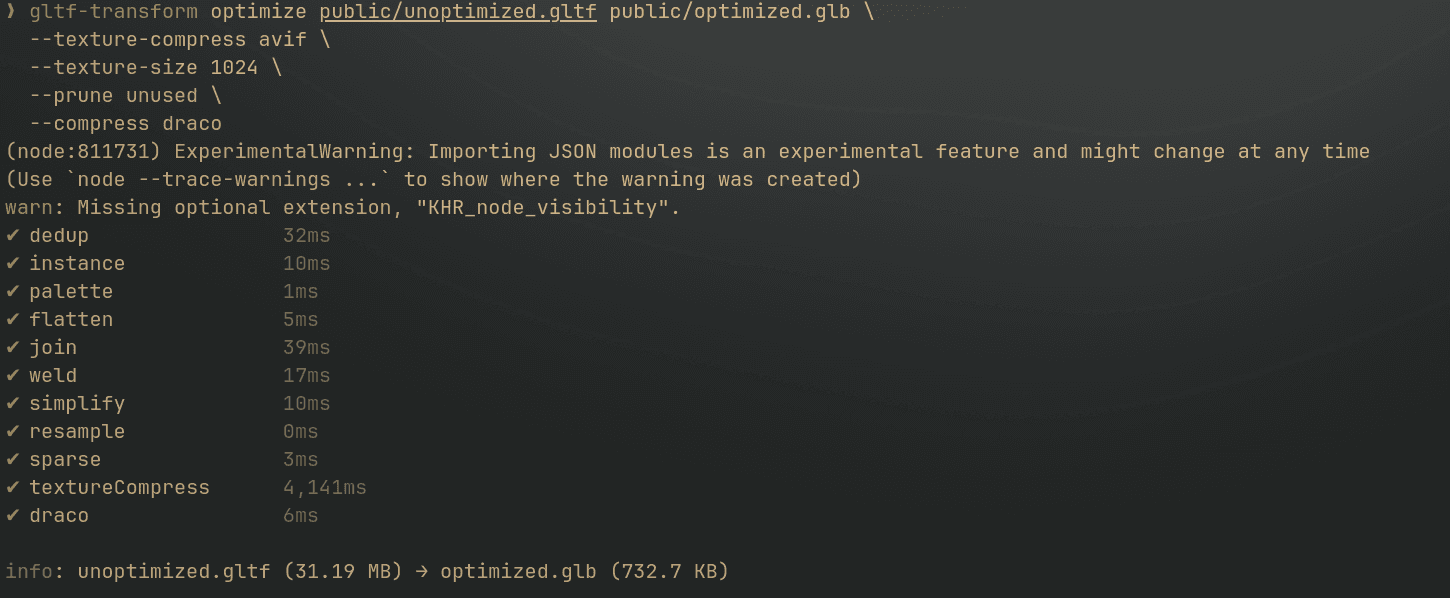
The compression results speak for themselves - from 31.19MB to 732.7KB, that's an 97% file size reduction** while maintaining visual quality.
Performance Impact
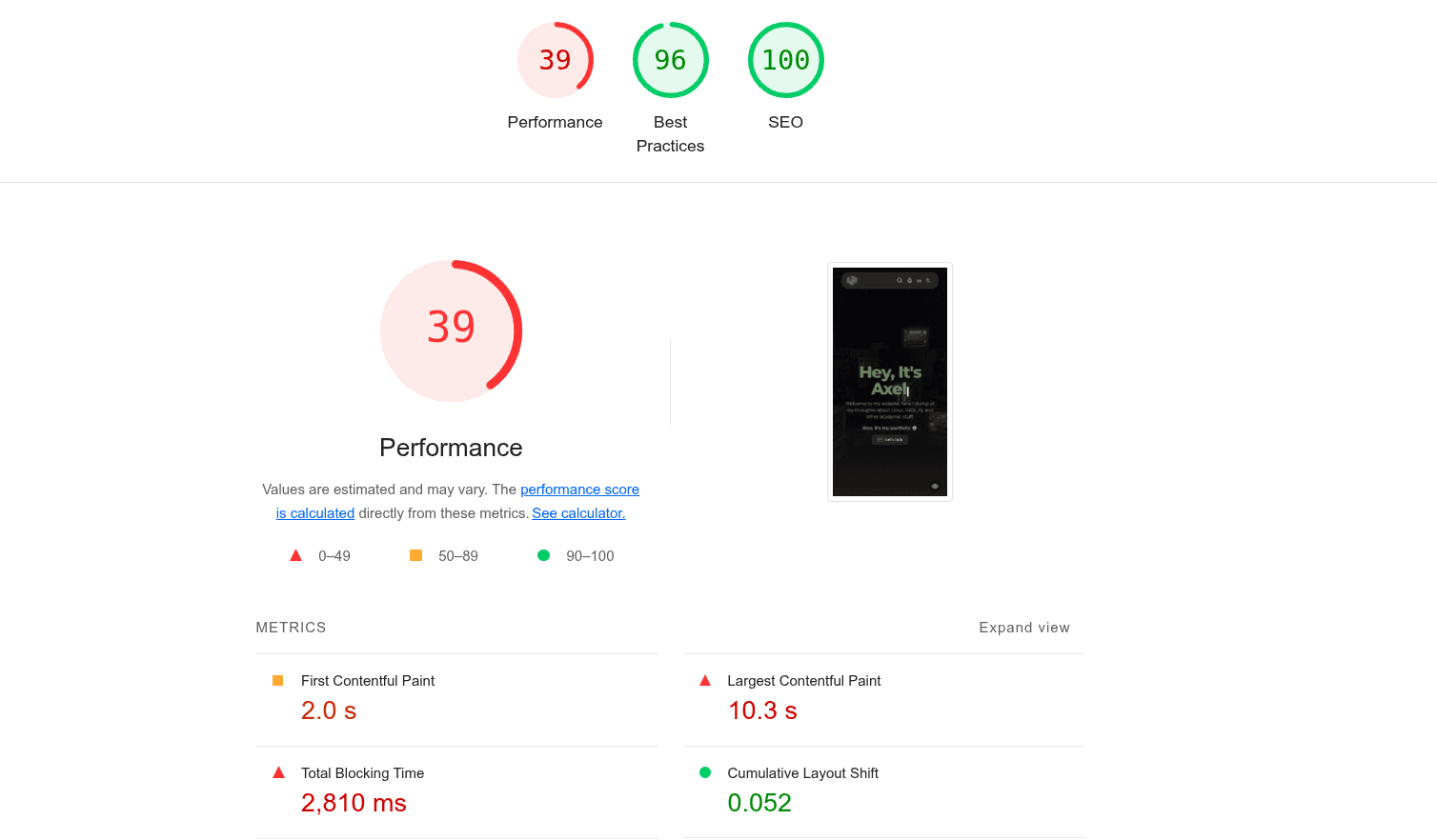
Before any optimization
After optimization with gltf-transform using Draco compression and texture optimization
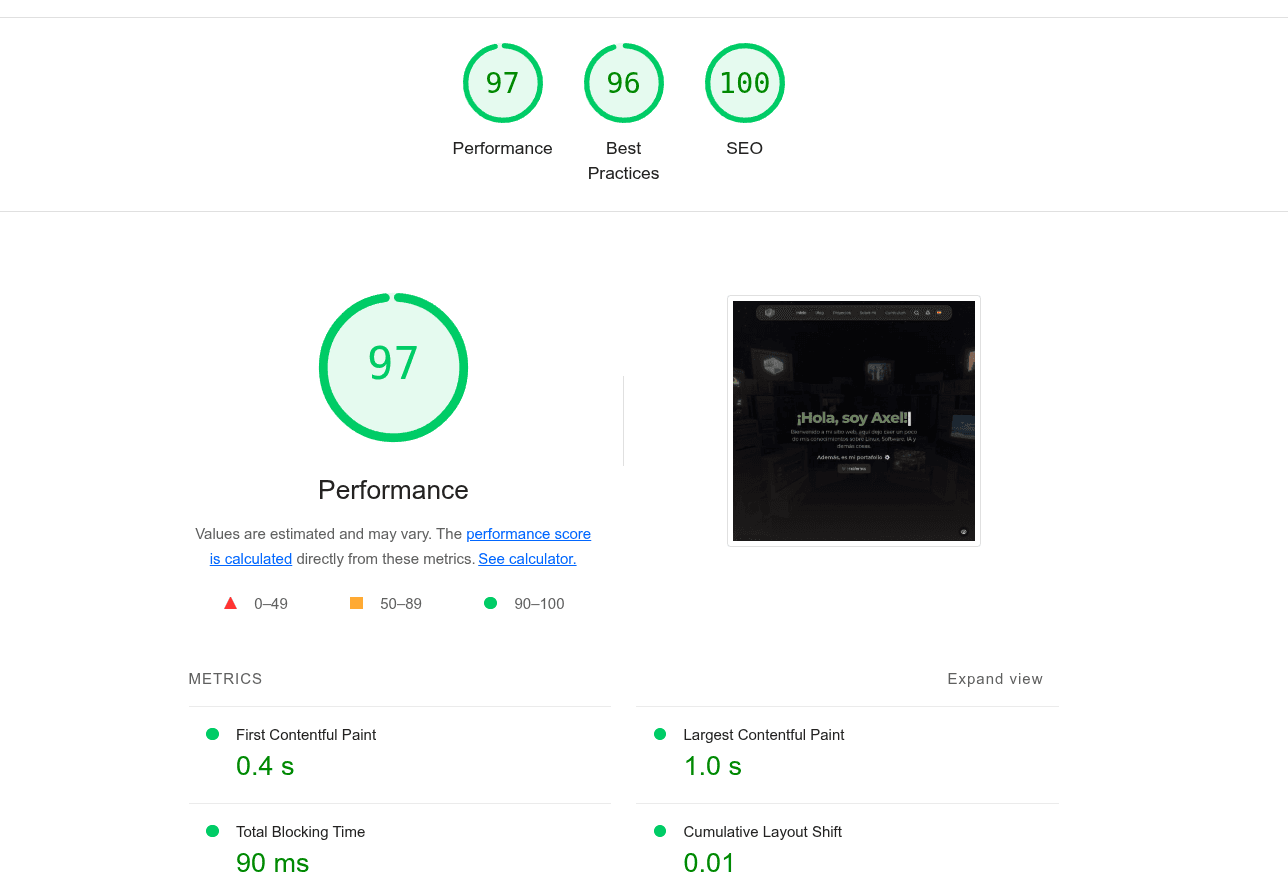
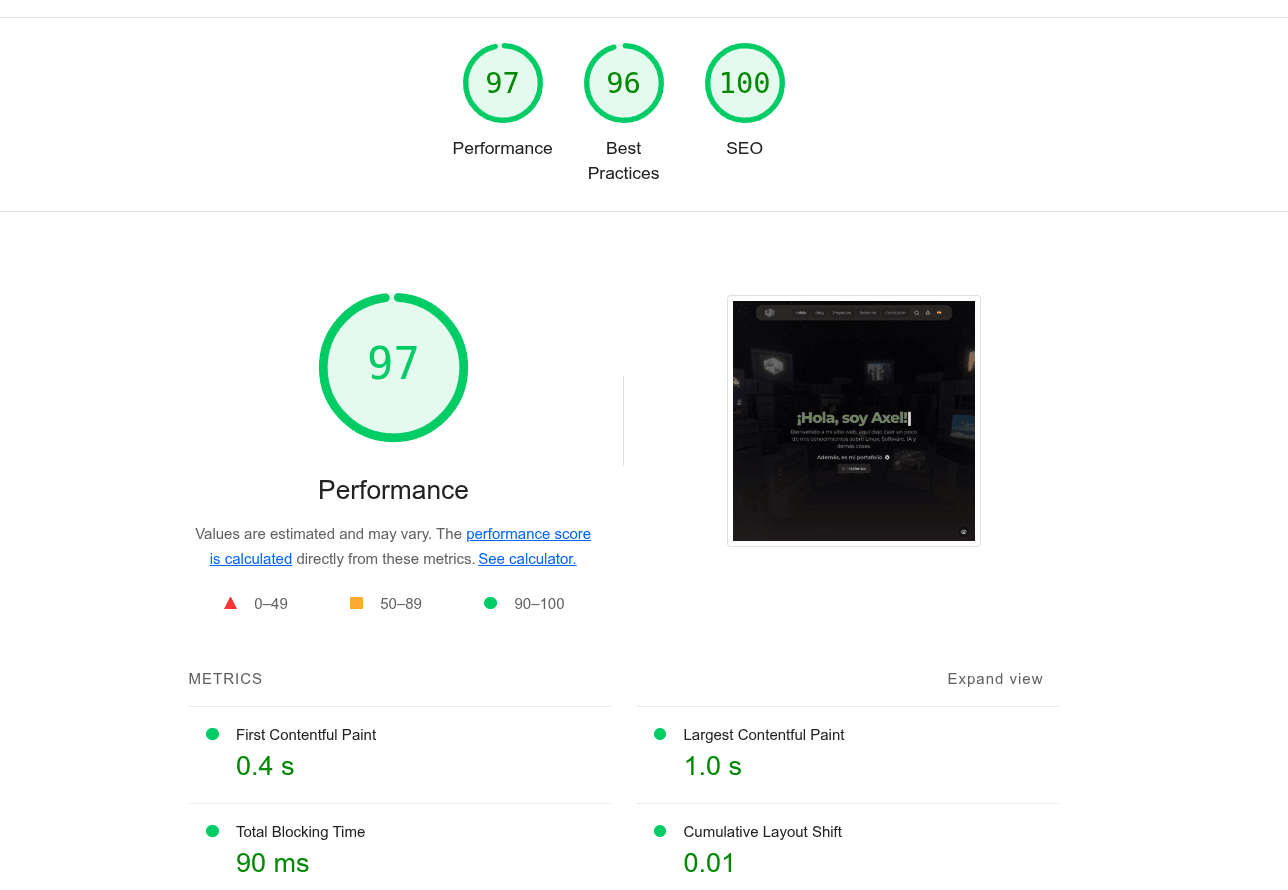
The performance benefits are dramatic. The optimized model improved the Lighthouse performance score from 39 to 97 points - a 148% improvement in web performance metrics. And the best improvement by far is on the LCP (Largest Contentful Paint), which went from 10.3s to just 1.0s.
Visual Quality Comparison
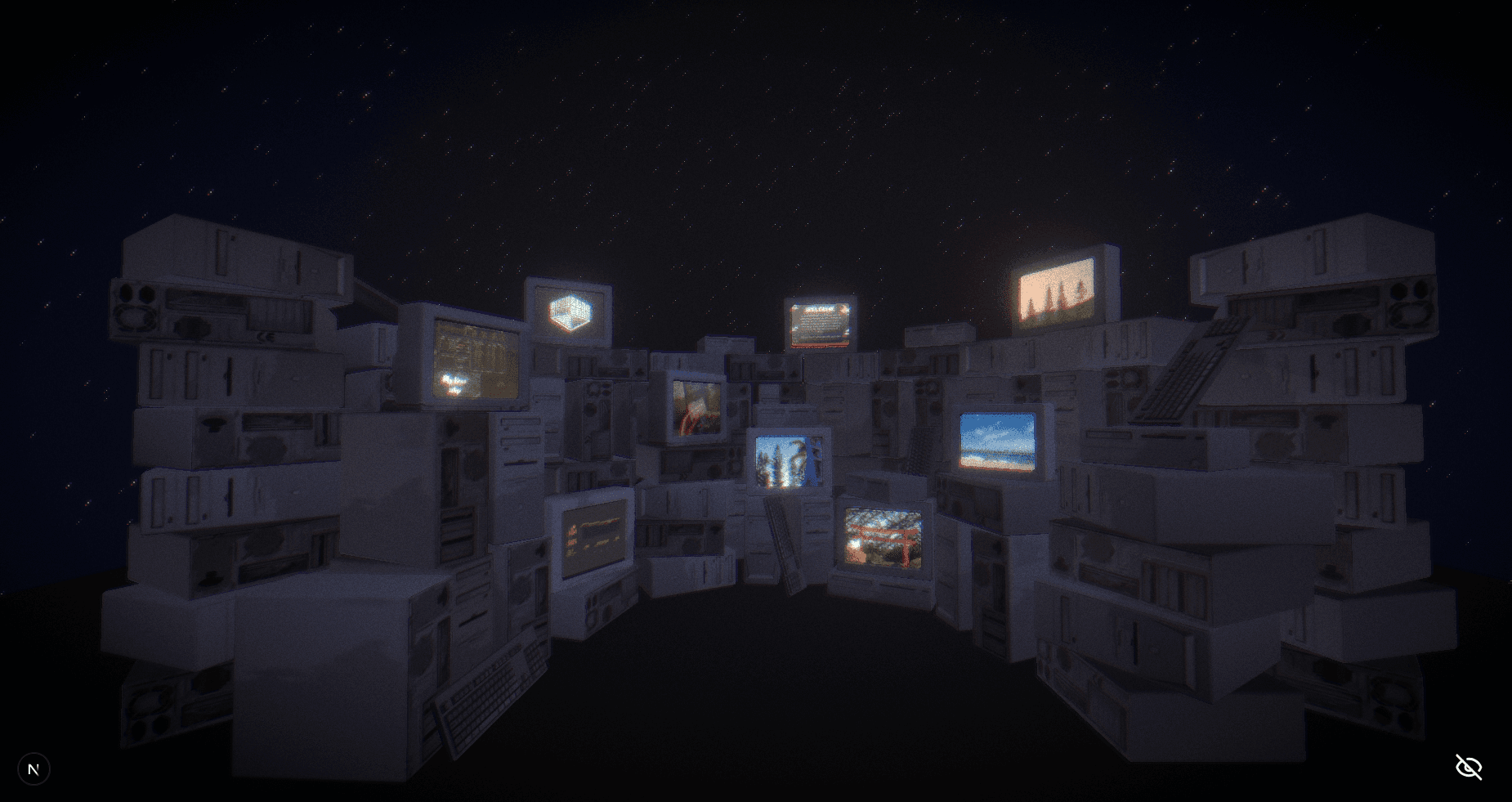
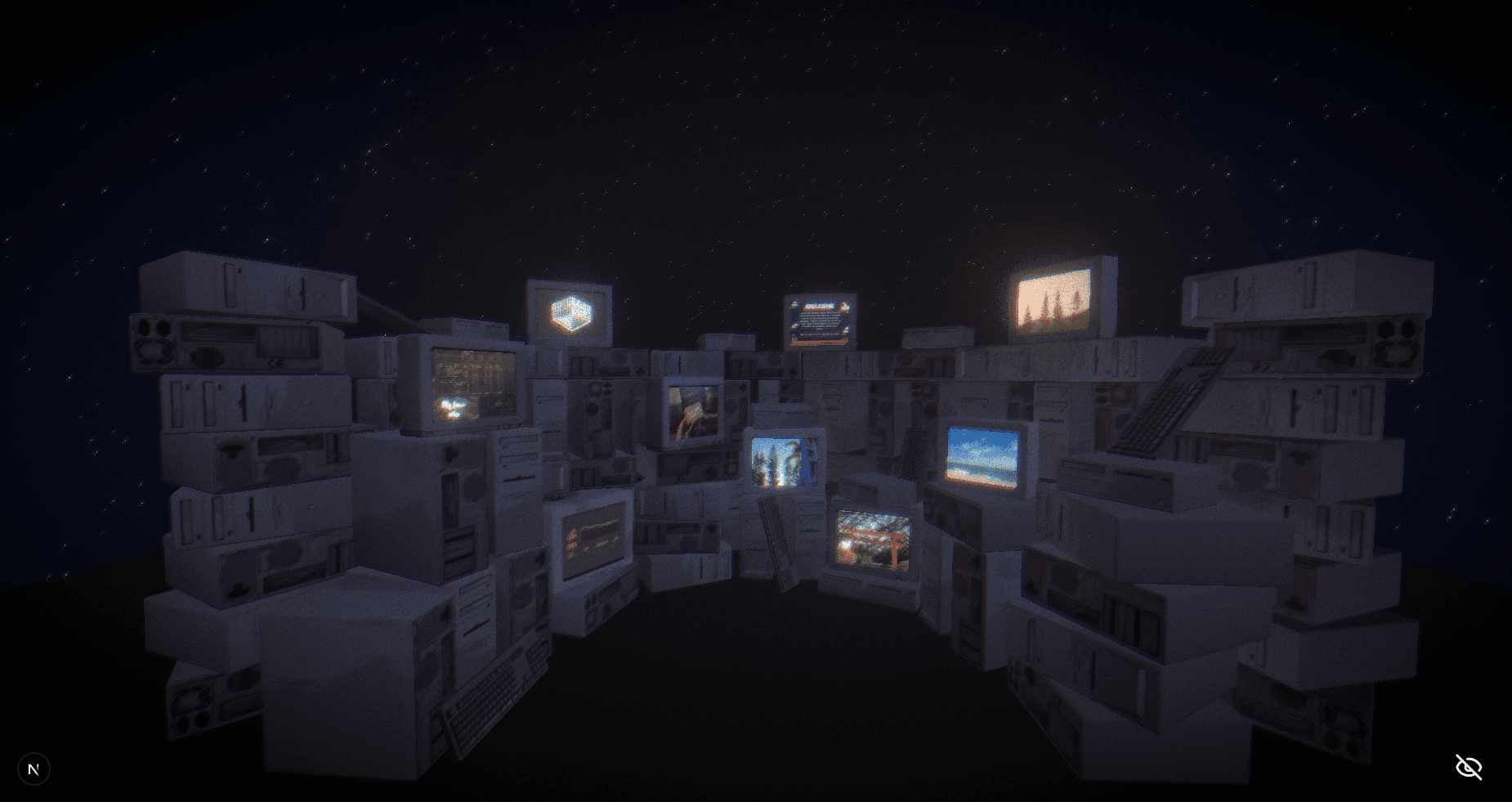
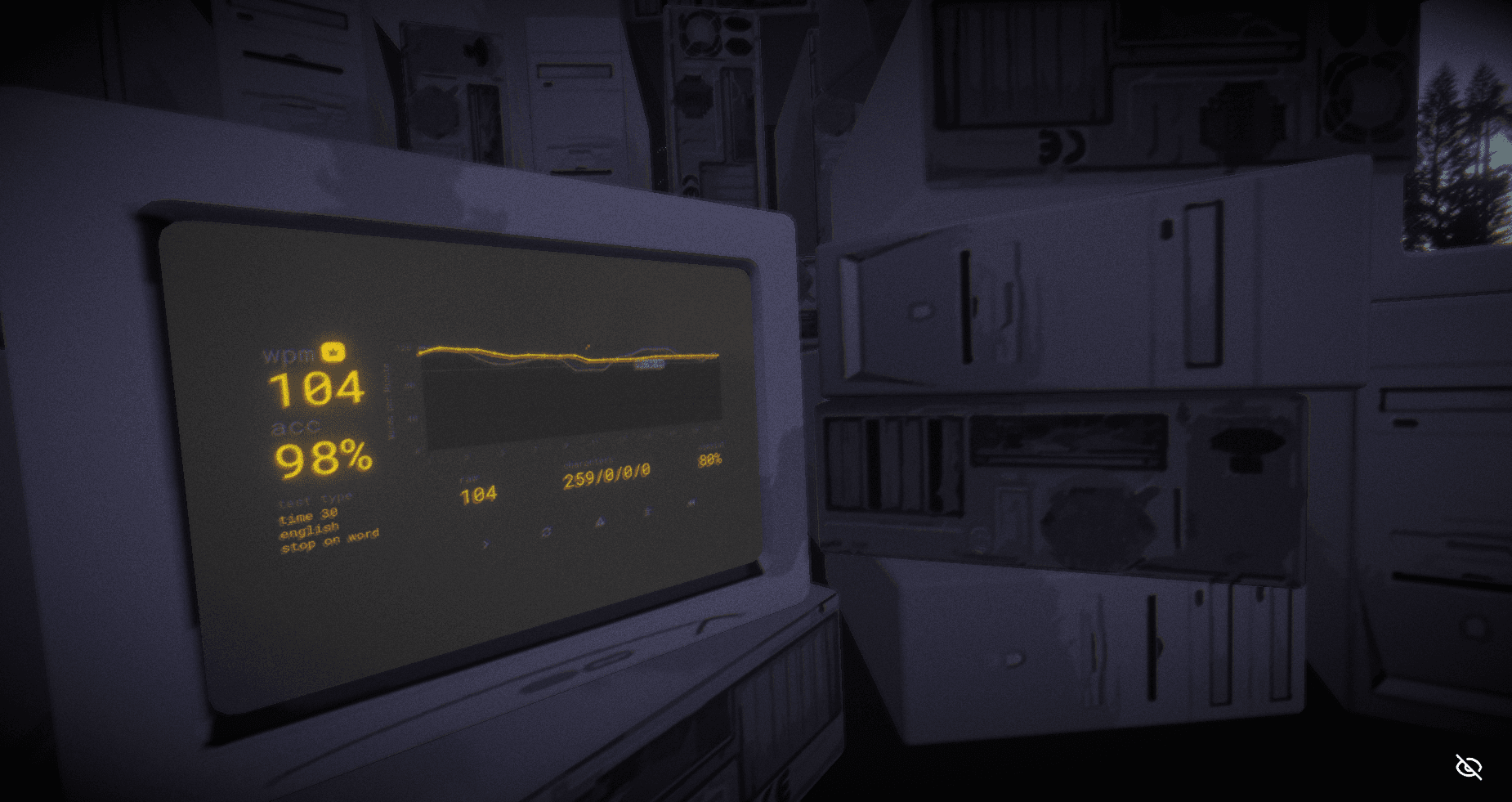
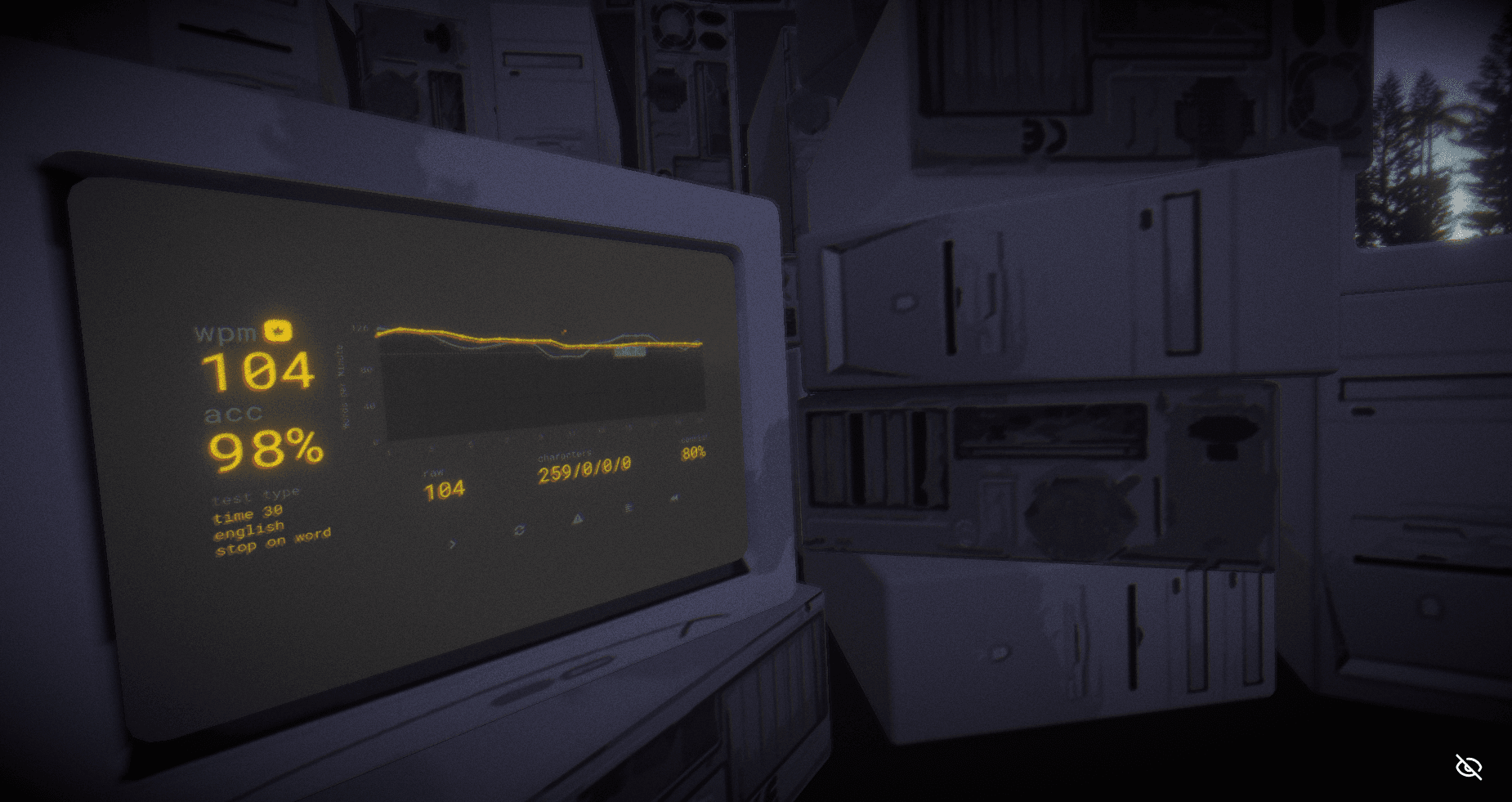
Despite the massive file size reduction, the visual quality remains virtually identical. Users get the same experience with dramatically faster loading times.
Up close
Best Practices for Production
Performance Optimization Tips
// Optimize Canvas settings for better performance
const canvasProps = {
  shadows: true,
  gl: {
    antialias: true,
    alpha: false,
    powerPreference: "high-performance",
    stencil: false,
    depth: true,
  },
  dpr: Math.min(window.devicePixelRatio, 2), // Limit device pixel ratio
  performance: { min: 0.5 }, // Auto-reduce quality if FPS drops
};
Memory Management
// Dispose of models when not needed
useEffect(() => {
  return () => {
    // Cleanup function
    scene.traverse((child) => {
      if (child.geometry) child.geometry.dispose();
      if (child.material) {
        if (Array.isArray(child.material)) {
          child.material.forEach((material) => material.dispose());
        } else {
          child.material.dispose();
        }
      }
    });
  };
}, []);
Key Takeaways
Optimization Workflow:
- Always convert to GLB format first for maximum efficiency
- Use gltf-transform optimize with Draco compression as your go-to command
- Download Draco decoder files for your web project
- Choose appropriate texture formats (WebP for compatibility, AVIF/KTX2 for cutting-edge)
- Set up global Draco decoder path in your Three.js application
- Monitor performance and implement fallbacks for low-end devices
Expected Results:
- 80-90% file size reduction with proper optimization
- 50-100% performance improvement in loading times
- No visible quality loss with recommended settings
- Better user experience across all devices
Tools Summary:
- GLB: The only format you should use for web
- gltf-transform: One-stop optimization tool
- Three.js + DRACOLoader: Efficient rendering
- React Three Fiber + Drei: Simplified React integration
With these techniques, you can deliver high-quality 3D experiences that load fast and perform well on any device.
Want to see more web development tips? Follow me on GitHub and LinkedIn for more!